“Please review” can mean anything from “check the spelling” to “find the assumption that will leave twelve volunteers standing outside a locked building”. If we expect someone to approve AI-assisted work, we need to tell them what requires a decision and give them enough information to make it.
That starts before the prompt. Who will use the result? What can that person approve? Which unanswered questions would prevent them from using it? Those answers help define what we should ask the AI to produce, including what it should leave unresolved. One of my mantras:
What is the problem you’re trying to solve?
A fictional example: a community group is preparing instructions for a Saturday workshop. The venue confirmation says room access begins at 9:00 a.m. The planning spreadsheet tells volunteers to arrive at 8:30 to set up. The organizer asks an AI assistant to turn those documents into a volunteer email.
Choosing either time hides the problem. Use 8:30, and the volunteers may arrive before anyone can let them in. Use 9:00, and the setup plan loses half an hour. The assistant can accurately report both documents without knowing whether the organizer has arranged early access. A later spreadsheet date wouldn’t settle that question either; it could be a newer copy of the same unconfirmed plan.
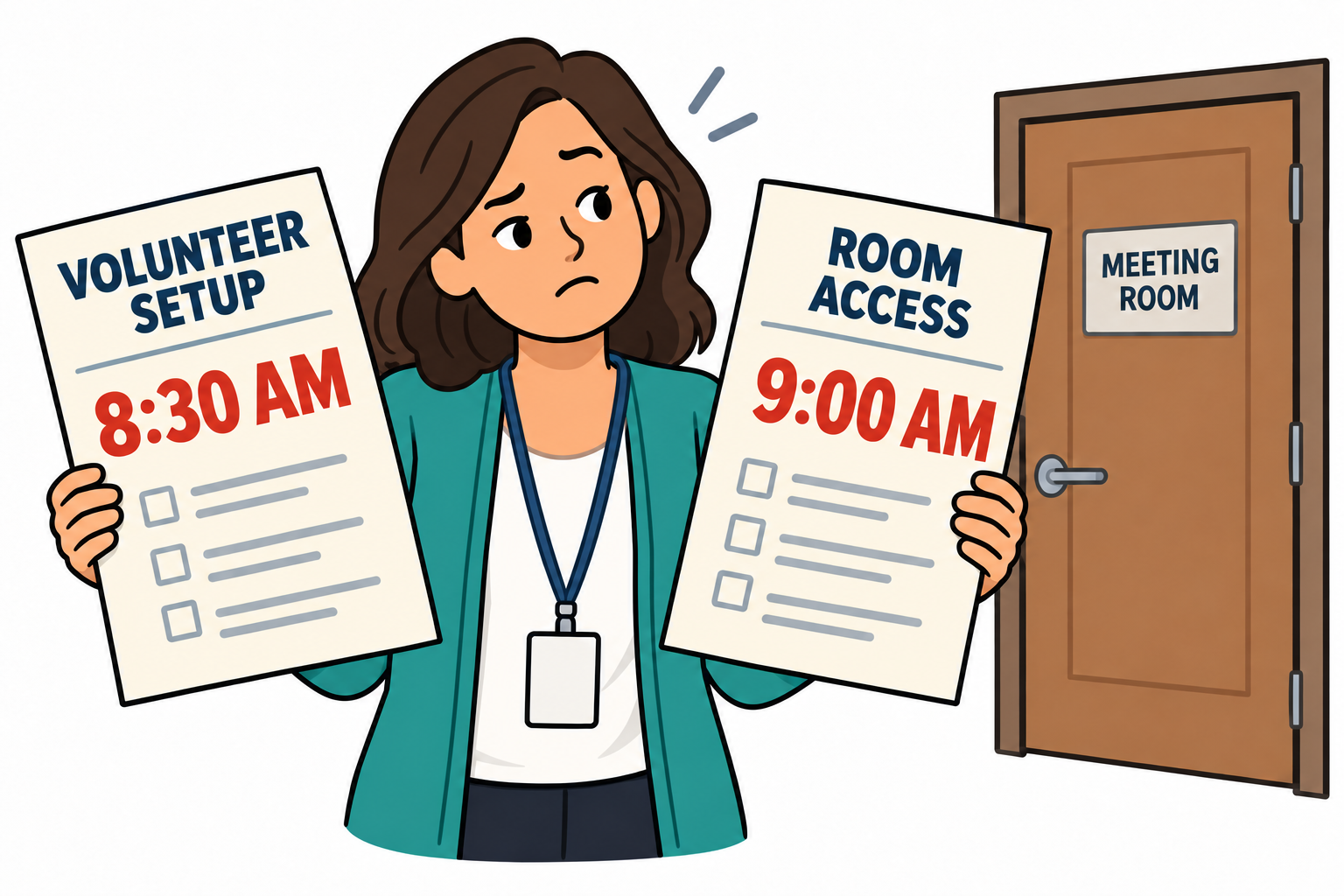
The organizer needs a handoff something like this:
Unresolved: volunteer arrival time. The venue confirmation’s “Room access” paragraph says 9:00 a.m.; the planning spreadsheet’s “Volunteer setup” row says 8:30 a.m. The organizer needs to confirm with the venue whether volunteers can enter at 8:30. Until then, leave the arrival time marked for confirmation in the email draft and hold it for review.
That gives the organizer a specific question, the reason it matters, and somewhere to check the assistant’s reading. “Please verify all details” gives them a second job reconstructing the first one. It is comprehensive in much the same way that “be careful” is a complete driving lesson.
We also need to distinguish finishing the draft from approving the instructions. The assistant can finish assembling an email while the access question is still open. The organizer can then confirm early access, change the volunteer arrival time, or revise the setup plan. Each answer leads to an edit; none follows merely from the email being well written.
This doesn’t require a large form. One unresolved issue may need one paragraph. Several independent decisions may fit a table, with a source, a question, an owner, and a status for each. Keep the supporting material close to the decision it supports, and give the reviewer a way to open the original. A document title alone is less helpful when the relevant sentence is on page seventeen.
With the handoff defined, the prompt becomes more specific: draft the volunteer email from the supplied documents, identify conflicting instructions with their source locations, and leave unresolved operational details marked for the organizer. In this example, the organizer is the reviewer because we assigned that responsibility. Having AI put someone’s name in an “Owner” column doesn’t give that person the time or authority to resolve it.
Before relying on the workflow, try it with a fictional conflict like this one. Read the result as the organizer: can you find the disagreement, check both sources, and tell what to do next? Check the proposed email too. A review note that flags 8:30 versus 9:00 hasn’t done its job if the email quietly presents 8:30 as confirmed.
Once the organizer gets an answer, record it and update the email before approval. The volunteers need the confirmed arrival time; the reviewer needs to know where it came from.
—jhunterj