If a group already maintains a calendar, giving them a second place to enter the same events creates another burden. It also creates a question when the two versions disagree: which one should everyone believe? Old joke: a man with one watch always knows what time it is, but a man with two watches is never sure.
In a community website project I worked on, we had a directive: keep using the established Google Calendar. The website needed to show upcoming events, but the organizers wanted to avoid a separate website publication workflow. I built the integration around that decision.
Google remains the place to edit the schedule. The website reads the public calendar feed and presents upcoming events with their own detail pages. Visitors can browse the schedule and share an event link; organizers can keep editing where they already worked. Google’s public calendar sharing supplied the feed.
The website also keeps historical event and participation records. A scheduled event and a recorded event can refer to the same outing, but they answer different questions. Where are we meeting? Who actually participated? Putting something on a calendar doesn’t establish that it happened, much less who showed up. The calendar integration doesn’t create attendance records.
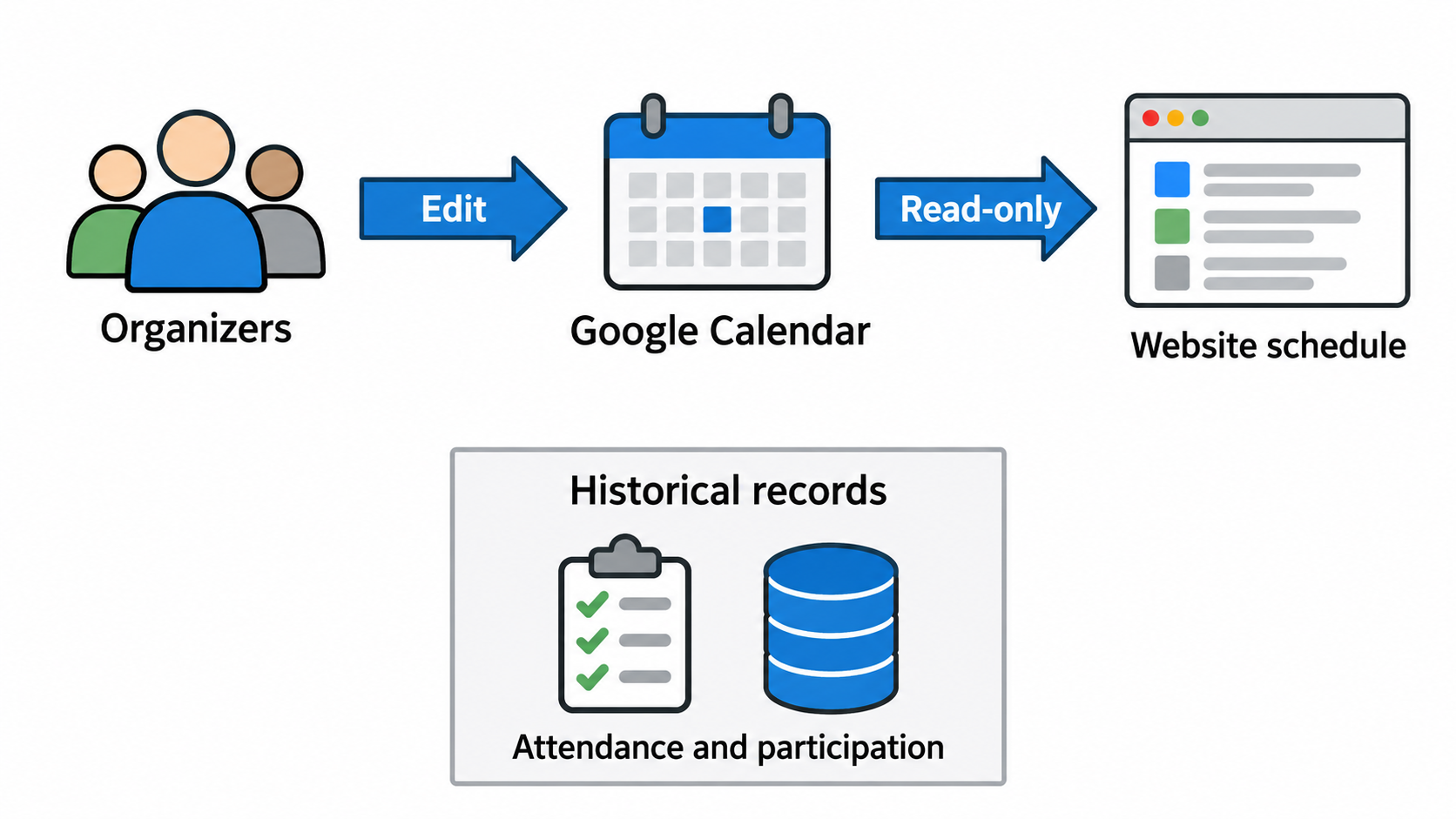
That separation also gives us a useful rule for later changes. For example, moving next week’s event location should show up in the website schedule. Removing an old calendar entry shouldn’t erase someone’s attendance history. Sharing an event title doesn’t make all the information interchangeable. Before connecting any two systems, decide which one owns each fact.
Even a read-only integration has decisions to make. A repeating event needs individual occurrences, including exceptions. An all-day event shouldn’t be assigned a midnight start time just because the website expects a time field. A missing location should stay missing. I used Sabre VObject for supported recurrence processing and kept those distinctions in the website’s display.
Then there’s the difference between an empty calendar and a calendar the website couldn’t read. “No upcoming events” tells visitors something about the schedule. “Calendar unavailable” tells them something about the website’s ability to retrieve it. Returning the same empty list for both would make a technical failure look like a change of plans.
For this integration, a successful read was cached for five minutes. If a refresh failed, the website could show a previously retrieved copy for up to 24 hours, labeled as older information with its retrieval time. After that, it reported unavailability. Those were choices in this implementation, not promises about how quickly Google would publish an edit. An older schedule can still be useful, provided the reader knows it’s older.
The September 18 release checks covered listings, pagination, detail navigation and reload in staging and production. What shipped was the calendar display. Automatically creating or updating the corresponding attendance records needs more decisions: how to match an event, which fields an update could change, how to avoid duplicates, and what to do when the sources disagree. Considerations for that kind of synchronization are on the roadmap.
—jhunterj