A website redesign usually starts with visual complaints: dated typography, awkward navigation on mobile screens, or an older theme that stopped receiving security updates three WordPress releases ago. But when teams start shopping for a replacement theme or modern block layouts, they often discover that several years of event results, officer rosters, or member archives don’t live in clean database tables. They live inside custom theme templates, shortcodes defined in an old theme’s functions.php, or presentation widgets that vanish the moment you activate a different theme.
That trap happens when the presentation layer quietly becomes the data owner. If changing how a website looks risks deleting or stranding what the organization actually recorded, the site’s architecture has tangled two responsibilities that belong apart.
A durable website structure separates where information is stored from how it is displayed:
| Responsibility | Who owns it | What happens during a redesign | What breaks if tangled |
|---|---|---|---|
| Core business records | Custom plugin or dedicated tables | Survives untouched with stable identifiers | Historical event and member records disappear when the theme changes |
| Administration & workflows | Plugin settings, custom post types, and admin hooks | Retains forms, capabilities, and data validation | Officers lose their edit screens and validation rules |
| Presentation & styling | Theme templates, CSS, and layout blocks | Replaced or refreshed completely | Records survive but look unstyled until templates are remapped |
| Third-party tools | Specialized services (e.g., calendar or payment feeds) | Reconnected through standard plugin hooks | Upgrading a theme breaks external schedule imports |
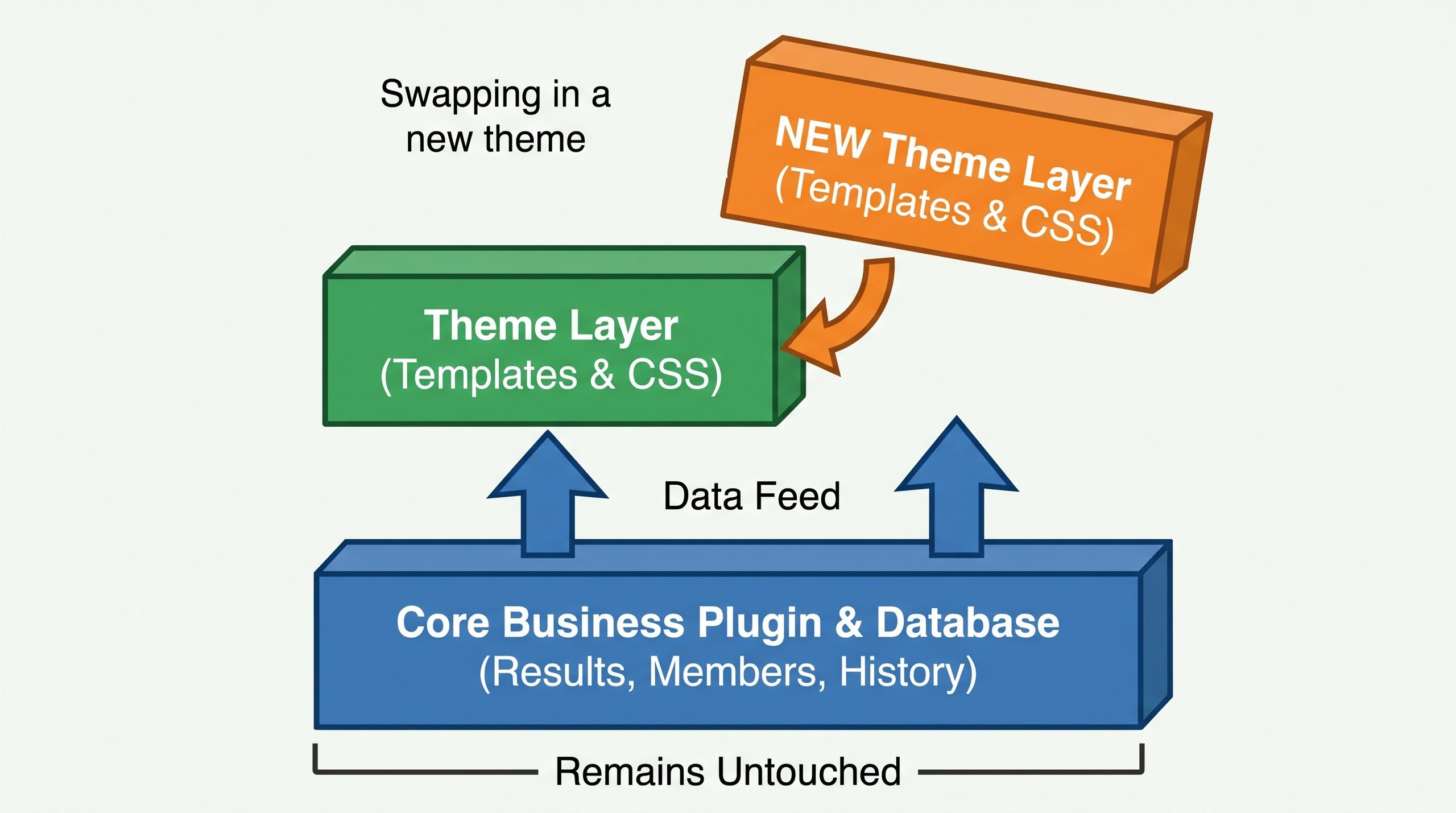
When you put durable business records into a custom plugin, let’s call it the site’s core plugin, the theme becomes what it was always meant to be: an interchangeable coat of paint. If an organization needs to publish race results, maintain historical standings, or track annual awards, the data schema, calculation logic, and administrative edit screens belong in that core plugin. The theme only receives clean data to render.
Keeping this boundary clean requires three practical rules:
- Never define custom post types or storage schemas in
functions.php. A theme’s job is styling and template composition. As soon as you define a data model inside a theme, you make that theme a permanent hostage to your data. - Expose data to the presentation layer through guarded interfaces. Instead of letting templates reach directly into database queries or idiosyncratic global variables, provide standard template tags, shortcodes, or block bindings. If a new theme omits a custom template, the site can fall back to a simple readable list rather than throwing a fatal PHP error.
- Decouple third-party integrations from visual layout. If your organization pulls schedules from an external calendar or pushes member signups to a database, manage credentials and fetch logic in a plugin. Let the theme handle only the markup that displays the result.
A future theme swap should be an aesthetic exercise, not an emergency data recovery. If you separate the records your organization relies on from the visual wrapper around them, changing your website’s look next year won’t threaten the history you built over the last ten.
—jhunterj